×
Menu
Index
 

5.9.1.3. Actions

 
5.9.1.3. Actions
1

CAMA Data

1. CAMA Data
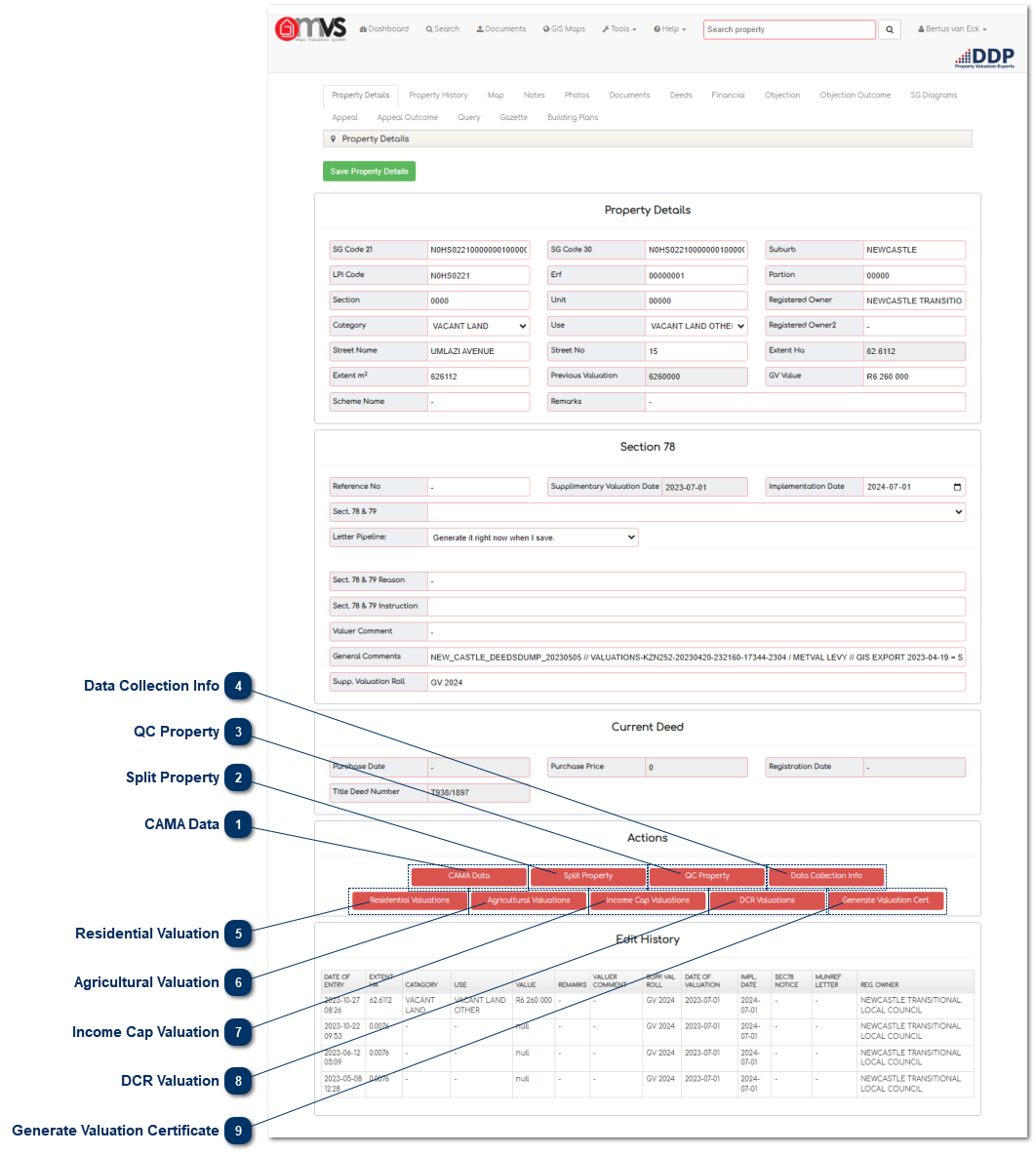
This is where the user can view the outcome of the Computer Assisted Mass Appraisal (CAMA) valuation that was conducted on the property.
 
2

Split Property

2. Split Property
This is where the User can split the property into sections for Multiple Use properties.
 
3

QC Property

3. QC Property
This is where the User can capture

Quality Control

(QC).
 
4

Data Collection Info

4. Data Collection Info
This is where the User can view the data that was collected by the Data Collector.
 
5

Residential Valuation

5. Residential Valuation
This is where the User can perform a Residential Valuation on either the Points Base or on a Regression Line.
 
6

Agricultural Valuation

6. Agricultural Valuation
This is where the User can perform an Agricultural Valuation.
 
7

Income Cap Valuation

7. Income Cap Valuation
This is where the User can perform an Income Capitalisation Valuation.
 
8

DCR Valuation

8. DCR Valuation
This is where the User can perform an

Depreciation Cost Replacement

Valuation
(DCR).
 
9

Generate Valuation Certificate

9. Generate Valuation Certificate
This is where the User can generate a Valuation Certificate.
 
The online help was created with Dr.Explain