×
Menu
Index
 

5.9.1.2. Section 78

 
5.9.1.2. Section 78
1

Reference No

1. Reference No
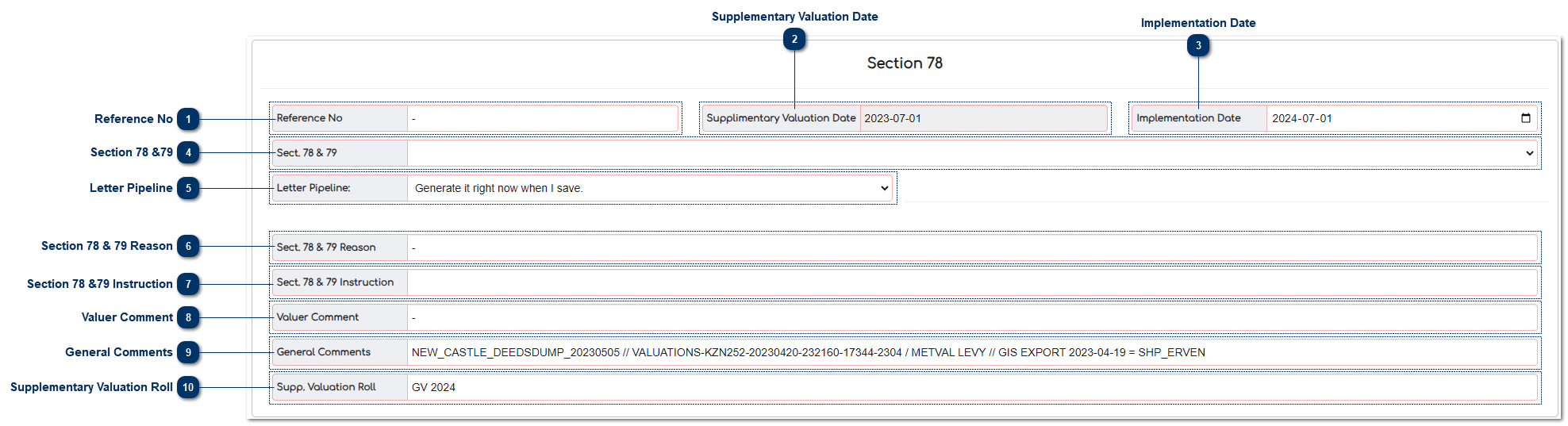
This is where the User enters DDP's unique document reference number.
 
2

Supplementary Valuation Date

2. Supplementary Valuation Date
This is where the User enters the Supplementary Valuation Date.
 
3

Implementation Date

3. Implementation Date
This is where the User enters the date from which the rates are payable from.
 
4

Section 78 &79

4. Section 78 &79
This is where the User enters the reason for Supplementary Valuation in terms of the MPRA:
 
  • ADMIN - NO LETTER
  • SECTION 79
  • SECT 78(1)(a)
  • SECT 78(1)(b)
  • SECT 78(1)(c)
  • SECT 78(1)(d)
  • SECT 78(1)(e)
  • SECT 78(1)(f)
  • SECT 78(1)(g)
  • SECT 78(1)(h)
     
5

Letter Pipeline

5. Letter Pipeline
This is where the User enter or select to generate the Section 78 Notice Now or add a "Batch Tag" that will be used to generate Section 78 Notices as a batch on the MVS Application at a later stage or on a specific date.
 
6

Section 78 & 79 Reason

6. Section 78 & 79 Reason
This field is a lookup and will give the Section 78 reason in words:
 
  • SECTION 79
  • AMENDMENT OF VALUATION ROLLS
     
  • SECT 78(1)(a)
  • INCORRECTLY OMITTED FROM THE VALUATION ROLL
     
  • SECT 78(1)(b)
  • INCLUDED IN A MUNICIPALITY AFTER THE LAST GENERAL VALUATION
     
  • SECT 78(1)(c)
  • SUBDIVIDED OR CONSOLIDATED AFTER THE LAST GENERAL VALUATION
     
  • SECT 78(1)(d)
  • OF WHICH THE MARKET VALUE HAS SUBSTANTIALLY INCREASED OR DECREASED FOR ANY REASON AFTER THE LAST GENERAL VALUATION
     
  • SECT 78(1)(e)
  • SUBSTANTIALLY INCORRECTLY VALUED DURING THE LAST GENERAL VALUATION
     
  • SECT 78(1)(f)
  • THAT MUST BE REVALUED FOR ANY OTHER EXCEPTIONAL REASON
     
  • SECT 78(1)(g)
  • OF WHICH THE CATEGORY HAS CHANGED
     
  • SECT 78(1)(h)
  • THE VALUE OF WHICH WAS INCORRECTLY RECORDED IN THE VALUATION ROLL  AS A RESULT OF A CLERICAL OR TYPING ERROR
     
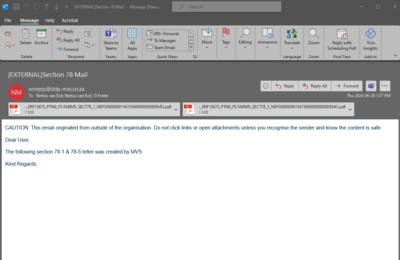
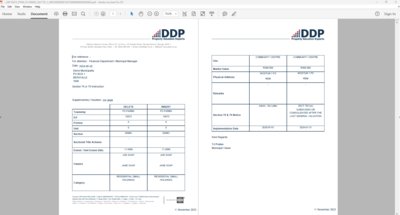
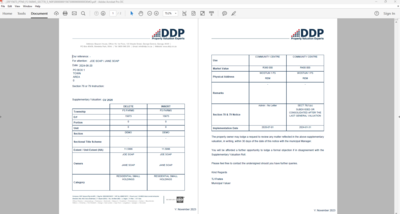
    The Section 78(1) and Section 78(5) letter will be emailed to the Municipal Valuer that is allocated to the Project in the desktop application by the Data Analyst. The email can be forwarded from their email or from the MVS to the municipal official or the owner.
     
     
    Section 78(1)
     
     
    Section 78(5)


The documents will be automatically loaded to the documents on the MVS.
 
7

Section 78 &79 Instruction

7. Section 78 &79 Instruction
This is where the User can indicate the instruction that was received. 
 
8

Valuer Comment

8. Valuer Comment
This is where the Valuer can insert a comment that can be printed on the Valuation Roll.
 
9

General Comments

9. General Comments
This comment field is used by the admin and support staff to comment on any relevant information to the Valuer.
 
10

Supplementary Valuation Roll

10. Supplementary Valuation Roll
This where the User can locate the status of the Valuation Roll.
 
The online help was created with Dr.Explain