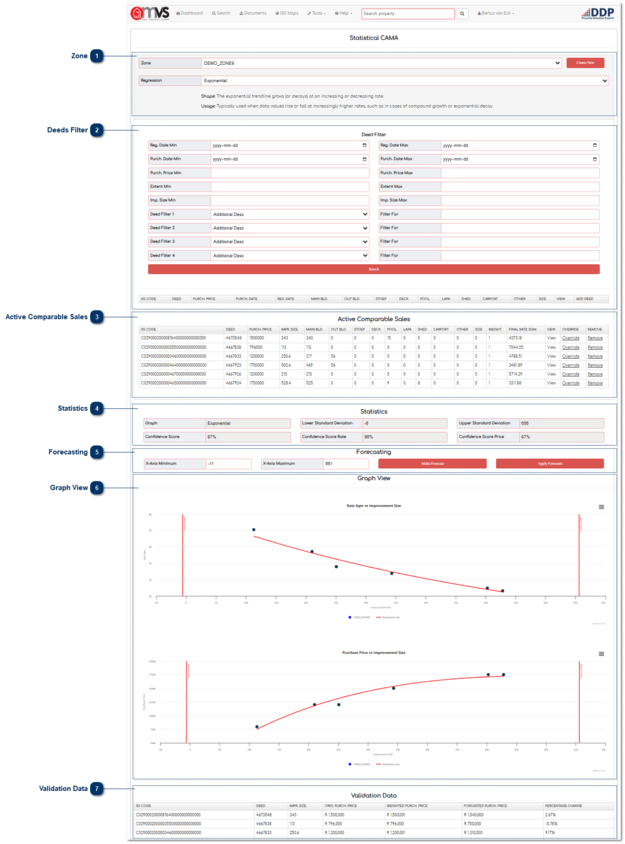
ZoneThe User creates or selects a Valuation Zones and selects Regression that will be used in the CAMA Valuation calculation
|
|
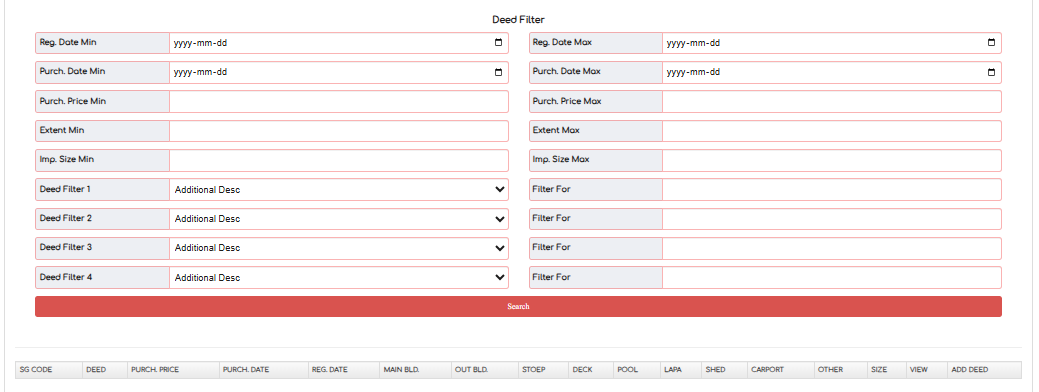
 Deeds FilterDeeds can be filtered for utilisation in the Regression calculation.
|
|
 Active Comparable SalesSelects Deeds that will be used on the Regressions calculation.
|
|
 StatisticsStatistics regarding the calculation can be visulised.
|
|
 ForecastingThe User can make a forecast and apply the forecasts.
|
|
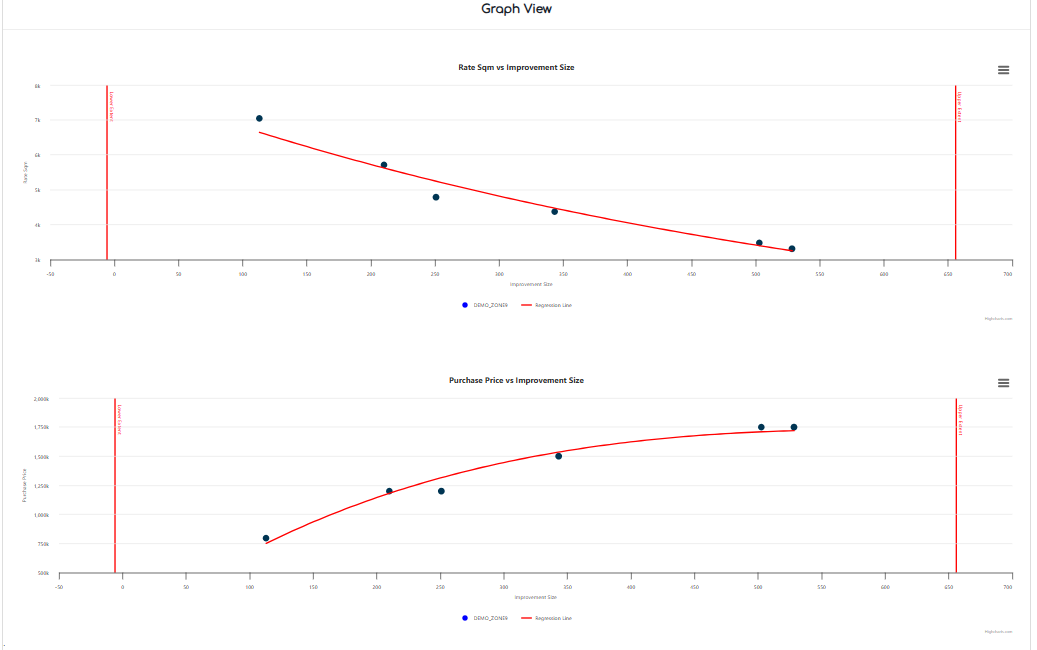
 Graph ViewThe Graphs of the regressions calculation can be visualised.
|
|
 Validation DataThe input sales data and forecasted values are compared for validation purposes.
|
|