5.5.3.5.1. Run single Mock Forecast
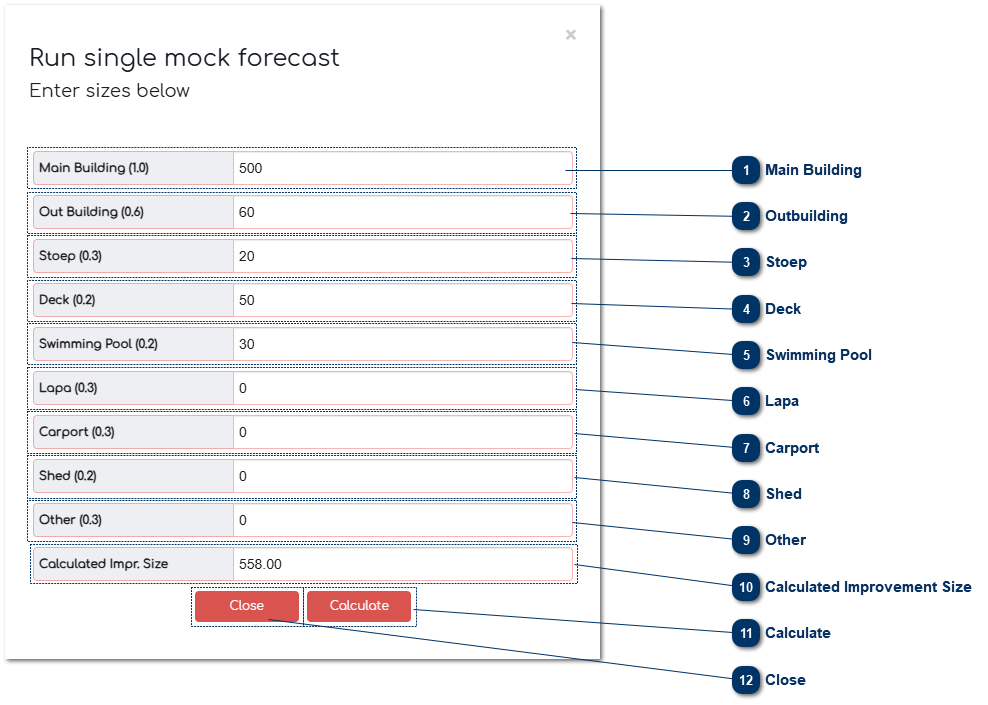
 Main BuildingThe user can enter the size for the Main Building.
|
|
 OutbuildingThe user can enter the size for the Outbuilding.
|
|
 StoepThe user can enter the size for the Stoep.
|
|
 DeckThe user can enter the size for the Deck.
|
|
 Swimming PoolThe user can enter the size for the Swimming Pool.
|
|
 LapaThe user can enter the size for the Lapa.
|
|
 CarportThe user can enter the size for the Carport.
|
|
 ShedThe user can enter the size for the Shed.
|
|
 OtherThe user can enter the size for Other.
|
|
 Calculated Improvement SizeThis is the calculation that determines the adjusted area of the building sizes.
|
|
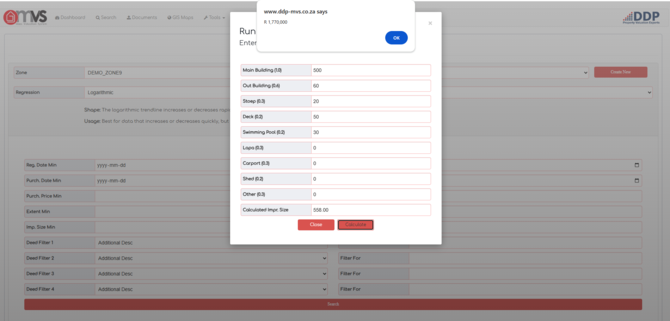
 CalculateClick "Calculate" to calculate the Forecast Value.
|
|
 CloseClick "Close to close the window.
|
|