To properly display this page you need a browser with JavaScript support.
×
Menu
Index
Search
Search
Search
5. Menu / Dashboard
5.9. Property Tab
5.9.4. Notes
Previous page
Next page
To properly display this page you need a browser with JavaScript support.
5.9.4. Notes
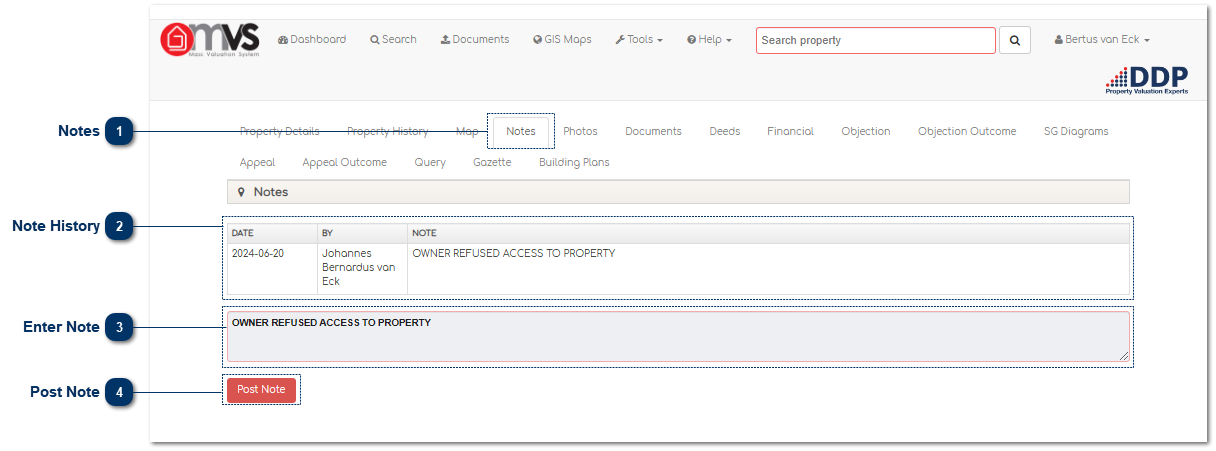
Notes
This is where the User can view and capture Notes on the MVS.
Top
Note History
This is where the User can
the notes that was saved on the MVS.
Top
Enter Note
This is where the User can
enter their notes.
Top
Post Note
Click here to post or save the note.
Top
The online help was created with Dr.Explain