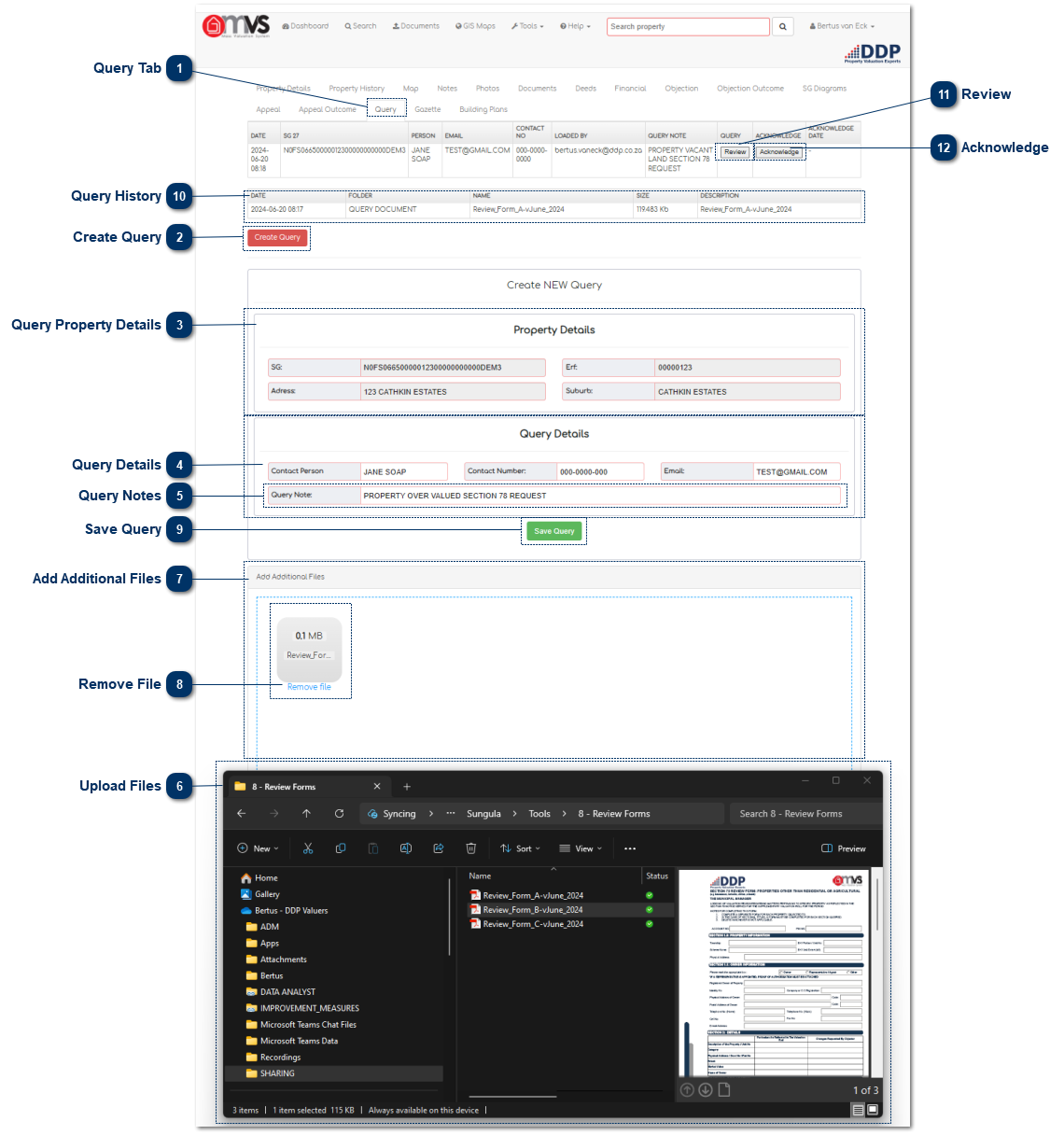
When the User is finished capturing the query, they may click "Save Query" and "Close". The query will then be sent to the Valuer and will appear in his/her task box on the MVS dashboard.
The query will then be sent to the Valuer and will appear in his/her task box on the MVS dashboard.
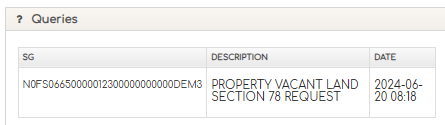
The query can be reviewed by simply clicking on the SG Code or Description.
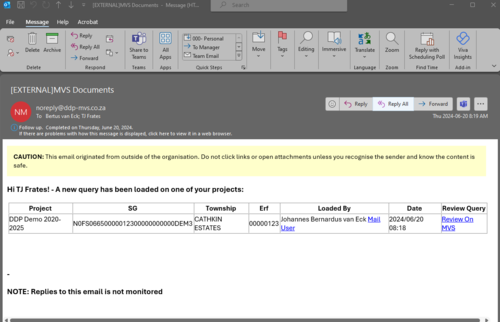
The Municipal Valuer will receive an e-mail to indicate that a Query was lodged on the property.
This is where the User can view the history of Queries that was lodged against the property, the history will also be displayed on the Property History tab.