5.5.3.1.1. Create a New CAMA Zone
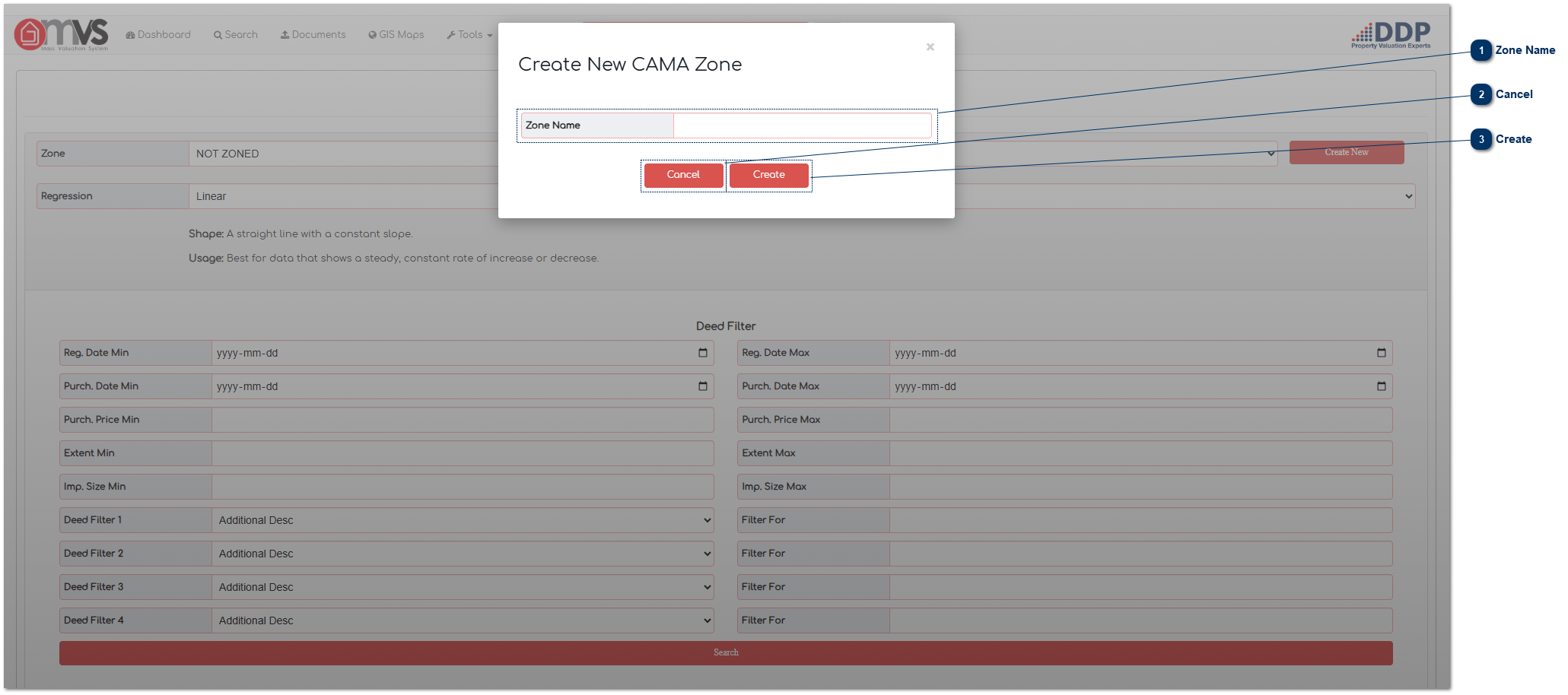
 Zone NameThe User captures the Zone Name on the MVS.
Please Note: The Zone Name must be in Capital letters and use a underscore (_)as a place separator.
|
|
 CancelTo discard any changes click on "Cancel".
|
|
 CreateClick "Create" to save the Zone. The data will then be saved on the database.
|
|