5.9.12.4. Reason for Appeal
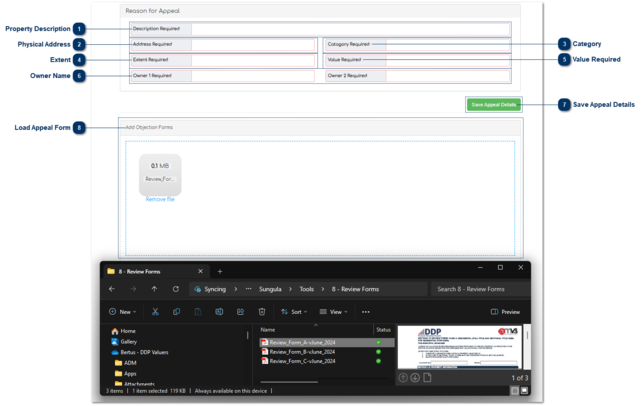
This allows the User to capture the reason for the Appeal as requested in the Appeal Form A, B or C by simply ticking the reason for appeal.
 Property DescriptionThis is where the User capture the Description Required if the Appeal is against the property description.
|
|
 Physical AddressThis is where the User capture the Physical Address Required if the Appeal is against the Physical Address.
|
|
 CategoryThis is where the User capture the Category Required if the Appeal is against the Category.
|
|
 ExtentThis is where the User capture the Extent Required if the Appeal is against the Extent.
|
|
 Value RequiredThis is where the User capture the Value Required if the Appeal is against the Value.
|
|
 Owner NameThis is where the User capture the Owner / Owners Required if the Appeal is against the Owner's Name.
|
|
 Save Appeal DetailsWhen the User has completed all the fields, they should click on “Save Appeal Details” and he / she can search for the next property.
|
|
 Load Appeal Form
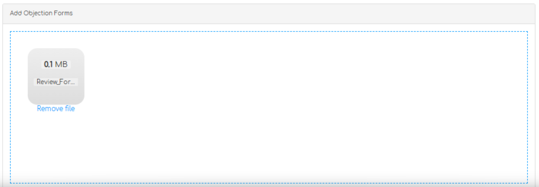
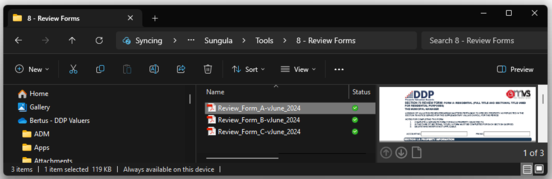
Simply drag and drop the file form your File Explorer in the blue block to upload.
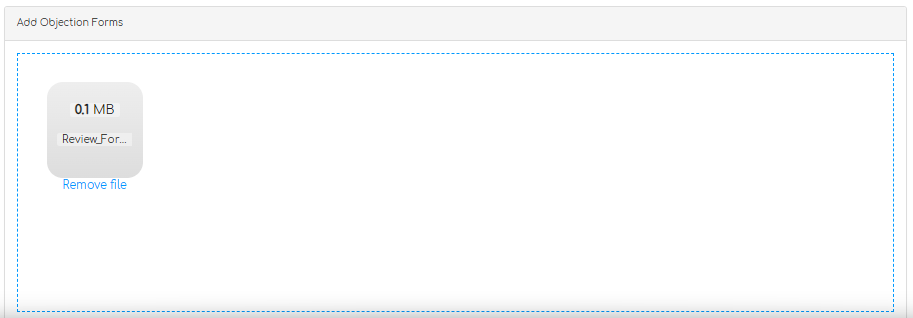
If it is the incorrect file just click on "Remove file" under the photo and select the correct file for upload.
The file will display as soon as it is uploaded and will be available in the Library.
When you refresh or go back to documents on that property the document will display in the Library.
|
|