To properly display this page you need a browser with JavaScript support.
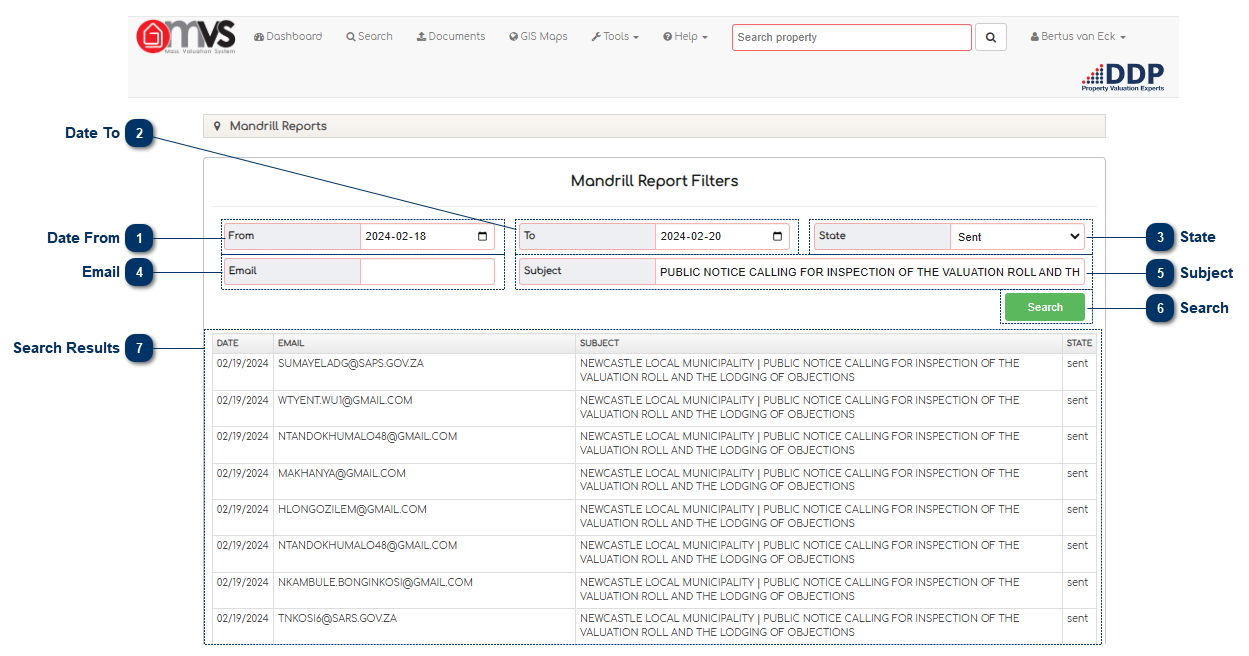
A Mandrill Report is the report where we can see all the emails that was send thru the MVS.
Date From The User can search with data that is in the Mandrill Report, the User can enter the date From. This is a dropdown colander.
Date To The User can search with data that is in the Mandrill Report, the User can enter the date To. This is a dropdown colander.
State The User can search with data that is in the Mandrill Report, the User can enter the date State.
This is a dropdown and will include the following:
Email The User can search with data that is in the Mandrill Report, the User can enter the email address here.
Subject The User can search with data that is in the Mandrill Report, the User can enter the Subject tah was used in the email that was send during the Bulk email send here.
Search Click here to Search the Mandrill Report.
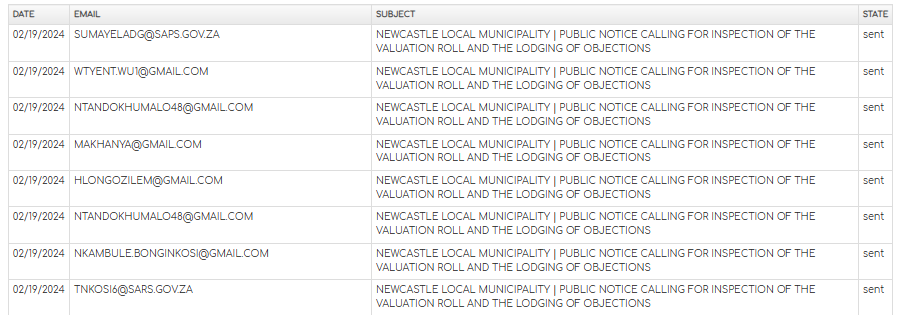
Search Results The results will show according to the criteria that were searched for.